Create a new site using Reference EDS Template
Prerequisites
You’ve completed the previous step of setting up your own GitHub Repository before proceeding to this page.
- Navigate to AEM Start Screen > Sites > Create > Site from template
- Choose latest version of “Reference EDS Template 2.x”
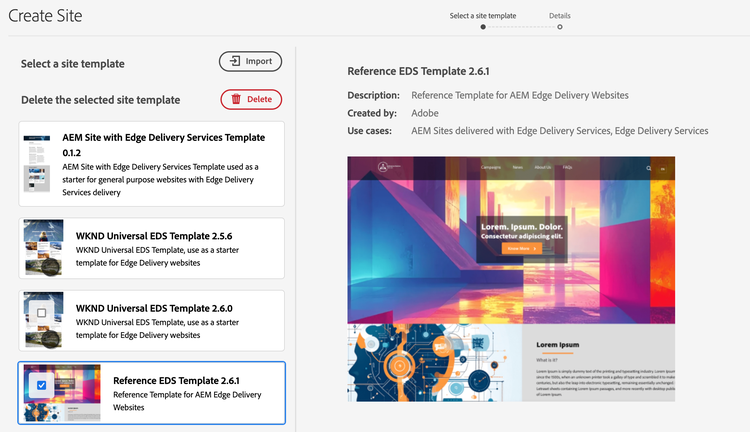
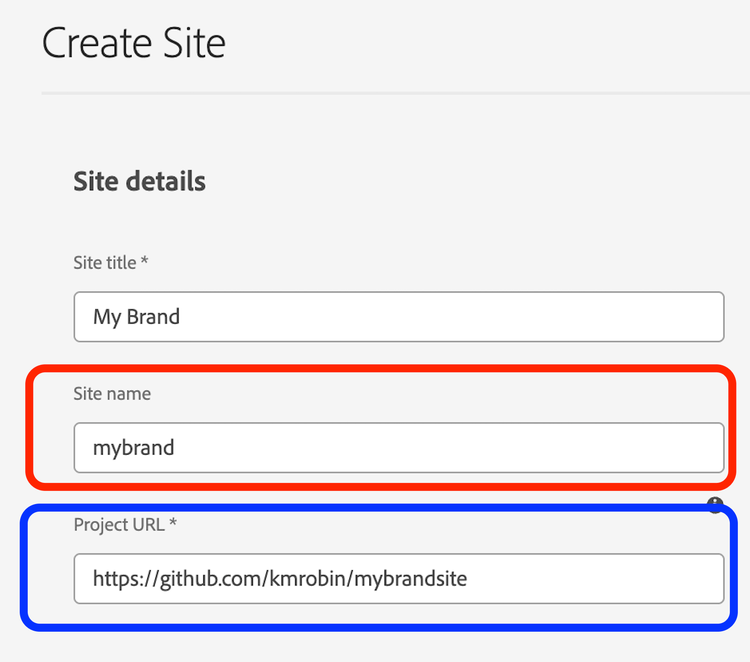
- On next screen, enter details as below:
- Site Title: Your Brand Title e.g. ABC Corp
- Site name: use the same name exactly as you specified in the paths.json file in the previous step in the Git setup. e.g. “abc”
- Project URL: This is your own GitHub URL that you created
We are good to go now:
- You will notice a corresponding folder in your AEM Assets for your brand.
- You’ve a base site with your brand name and can start making content changes.
- You can create as many brand sites as required with the above steps, on your AEM env.
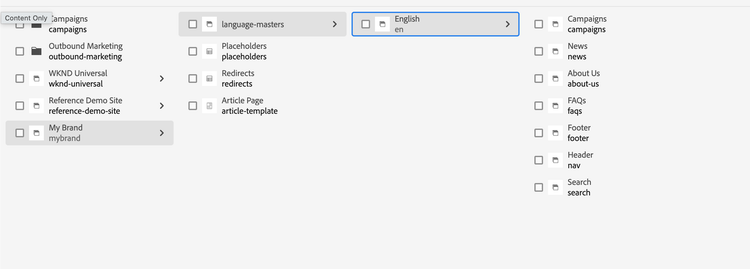
- For Logo, Header, and Footer: Edit respective pages in site hierarchy named Header & Footer
Publishing to Edge
- You can start publishing your content to Edge Network. Make sure all referenced assets and config files/pages are also published e.g. pages like “placeholders”, “Header”, “Footer”, etc.
- For detailed steps, check here.