Publishing existing WKND Site
- Assuming you’ve installed and replicated the required WKND package, you can go ahead and make edits in your WKND site pages and create new pages as needed.
- For Logo, Header, and Footer: Edit respective pages in site hierarchy named “Header” & “Footer”
- Once the content changes are finalized, select the page in the AEM sites portal, and click on Quick Publish link in the toolbar.
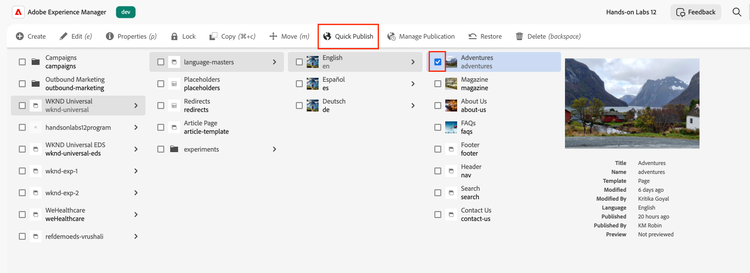
- Your changes will be published in a few seconds.
- Make sure all referenced assets in DAM and config files/pages are also published e.g. pages like “placeholders”, “Header”, “Footer”, etc.
Quick Tip
Assets (and fragments) may need to be published directly from DAM if they’re not being published automatically with pages.