Search Block
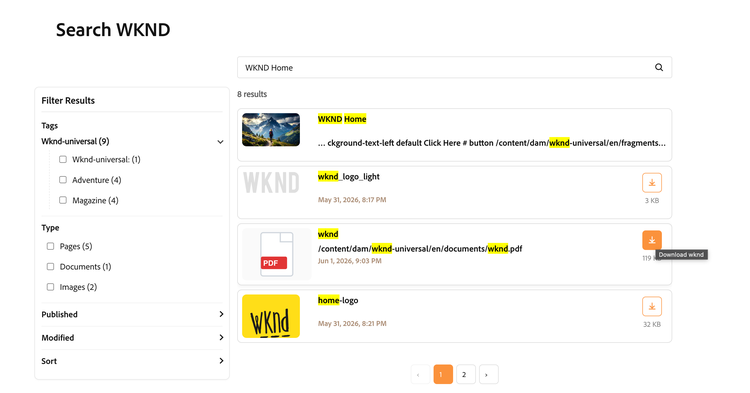
The Search block searches pages from using the query index (query-index.json) and, when configured, can include DAM assets as well. Use Search Bar for full results on the page with filters and pagination; use Search Icon for a compact overlay that redirects to the locale search page.
Key Features
- Type Ahead Search
- Pagination & Filters
- Page & Asset Search from single box
- Full-text search inside PDF documents
- Exclude & Include Paths/Folders
For detailed instructions on Search block, check here
How To use it
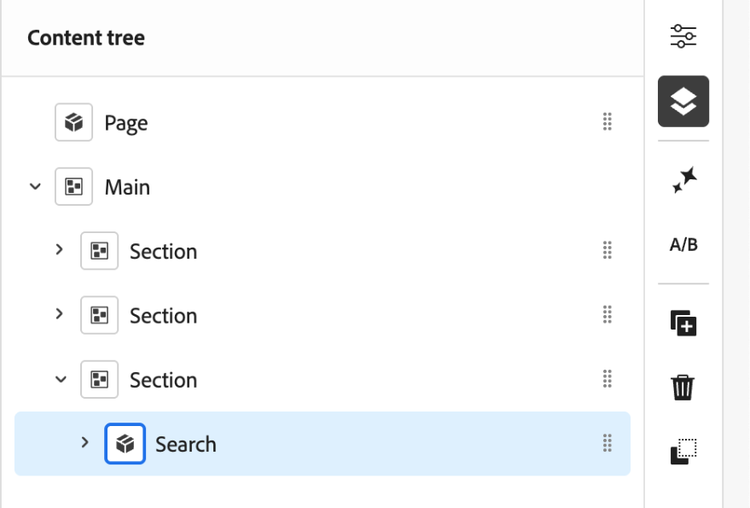
- Insert a ‘Search’ block on any page. You can add this block only under a section block.
- Choose a style:
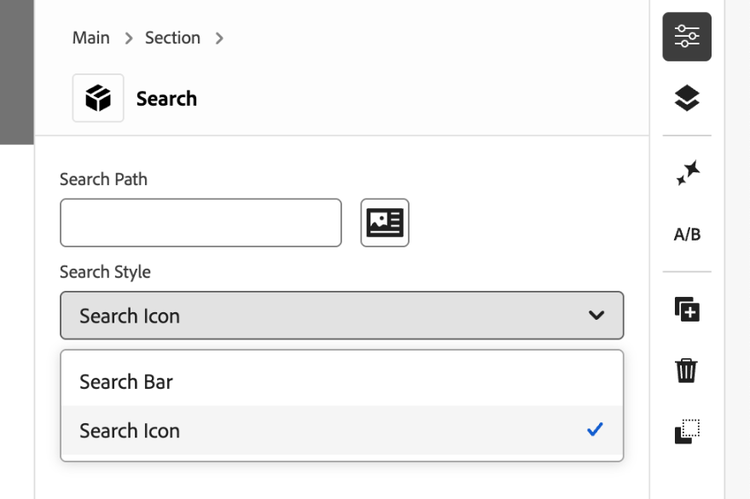
- Search Bar: an input on the page; press ‘Enter/Return’ to show results and filters below.
- Search Icon: a small icon; click to open an overlay and press ‘Enter/Return’ to go to the search page.
Block properties
- Search Path: Optional path prefix to limit page results (e.g. /content/ref-demo/us/en).
- Results Per Page: Number of results per page in expanded view (default: 10).
- Asset Search Path: Optional DAM folder; assets under that folder (including subfolders) are merged into search results. Images show thumbnails; documents show icons.
- Excluded Asset Paths: Comma-separated DAM path prefixes to omit from asset results.
Expanded results
- Minimum query length: 3 characters.
- Type filter: Pages, Documents, Images, Other (when present).
- Published and Modified date filters: Any time, Last 24 hours, Last week, Last month.
- Tags: Hierarchical tag filter when tags exist in the index.
- Sort: Relevance, Title A–Z, Title Z–A.
- Recent searches are stored in the browser.
- Page index source defaults to /{locale}/query-index.json unless Search Path points to a valid query-index.json URL.
Quick Tips
- Ensure query-index.json is generated for each locale.
- Set “hostname” property in placeholder for DAM asset listings to resolve on the aem.live site.
- Use Excluded Asset Paths to hide internal or draft DAM folders.
NOTE
The block works on AEM Author without any additional configurations.
For it to work on “aem.live / aem.page” domain, you will need to update CORS config on your AEM environment to whitelist “aem.live/.page” domains. Refer this to enable CORS support in your instance.
For it to work on “aem.live / aem.page” domain, you will need to update CORS config on your AEM environment to whitelist “aem.live/.page” domains. Refer this to enable CORS support in your instance.