Search
https://s7d1.scene7.com/is/content/AEMHOL/Search
Please note that Search functionality is expected to work only on your ‘.live’ URLs and not on author URLs.
What it does?
- It lets visitors search your site, with results tailored to the current language.
- Offers filters for Published Date, Modified Date, and Sorting.
How to add it to a page?
- Insert a ‘Search’ block on any page. You can add this block only under a section block.
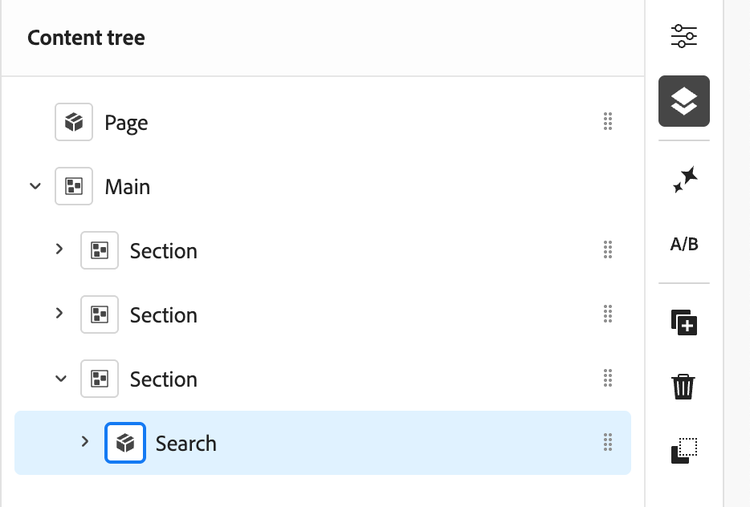
- Choose a style:
- Search Bar: an input on the page; press ‘Enter/Return’ to show results and filters below.
- Search Icon: a small icon; click to open an overlay and press ‘Enter/Return’ to go to the search page.
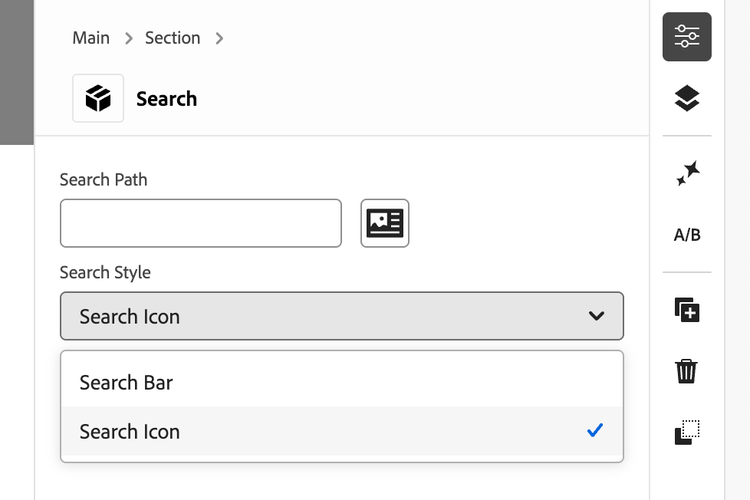
- Optional: set a Search Path to limit results to a section (for example, a specific folder of pages).
How to use it?
- Type at least three characters to search.
- In Search Bar style, press Enter to see results and filters; in Search Icon style, press Enter to open the search page.
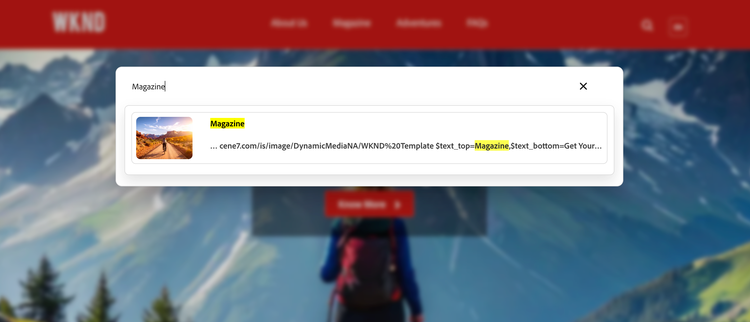
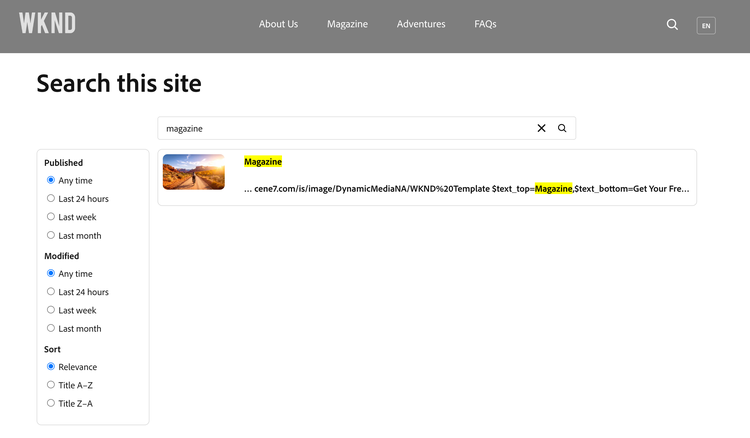
- Click a result title to open the page.
Tag based search
To enhance the relevance of your search results by leveraging tags, follow these steps:
- Apply and Publish Tags: Ensure that the appropriate tags are applied to your pages. After making changes, publish the updated pages so that tag information is available to search services.
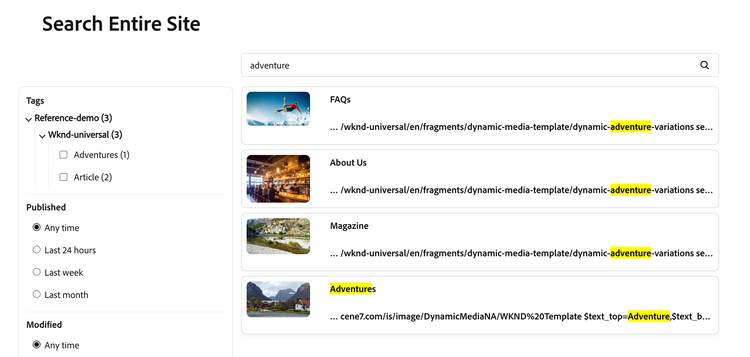
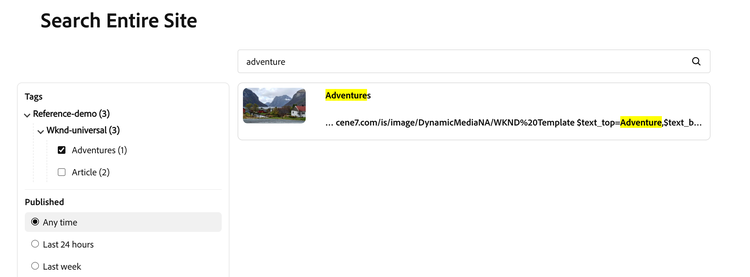
- Access Tag Filters in Search: When searching, if any results have tags, a “Tags” filter section will appear in the left sidebar of the search results page.
- Refine Results Using Tags: Select one or more tag checkboxes in the “Tags” filter section to refine your search results. Only pages matching the selected tags will be displayed.
How to disable a page from showing up in search results
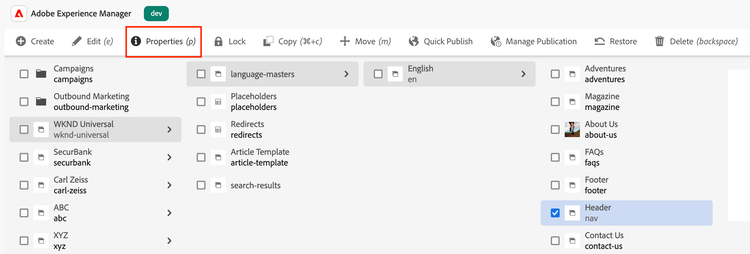
If you don’t want certain pages from the site to show up in your search results (for example, header, footer, search), please follow the below steps.
- Select the page, open its Properties.
- Go to the advanced tab and scroll to the bottom of the page.
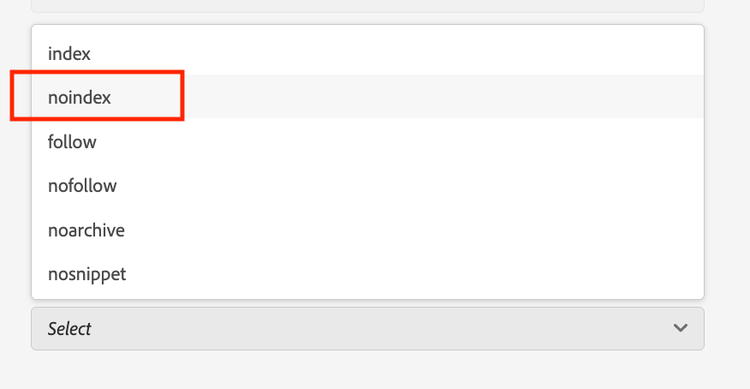
- Under SEO section, click on Robots Tags to open the dropdown menu.
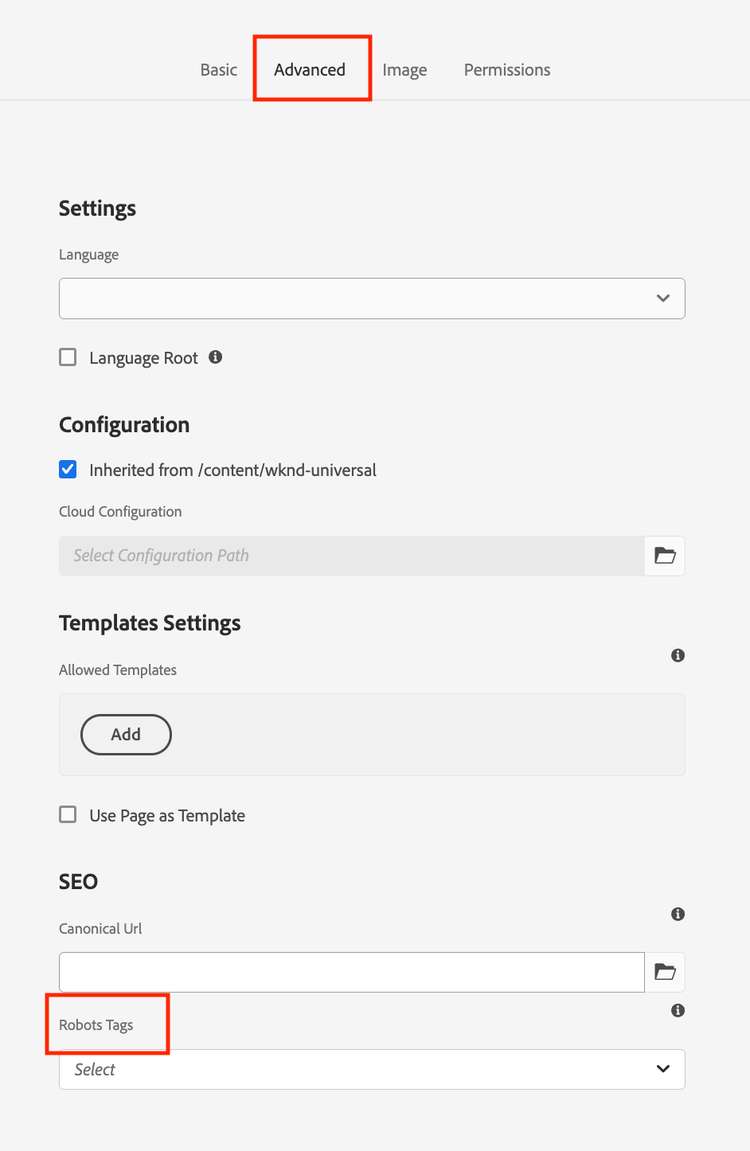
- Select noindex from the list and save and close the properties panel.
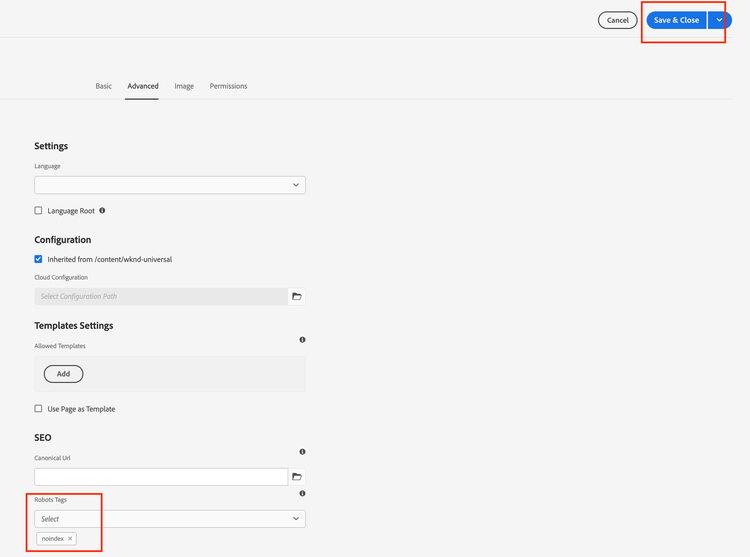
- Publish the page after saving the changes.
Your page will now not show up in the search results.
Language Aware Behaviour
- The search automatically uses the current page’s language.
- If your site has a language switcher, changing languages shows results from that language only.

Tips for use
- Prefer the Search Bar style on a dedicated search page; use Search Icon on headers or tight spaces.
- Use Search Path when you want a page to search only within a specific section.
- Make sure your pages have clear title and description as they appear in the results.