GitHub Workflows
If you have created your own repository using RefDemoEDS as a template, and it is outdated, you can now sync your repository in a couple of clicks now.
There are two ways to sync your repository -
- Sync with template using PR
Creates a Pull Request with template changes for review before merging.
Use when:
- You want to review changes before they go live
- You've made custom modifications to files
- You need time to test the updates
- You want team review before merging
- Sync with template with direct merge
Directly merges template changes to main branch without creating a PR.
Smart Fallback: If any conflicts are detected while merging the code, it automatically creates a PR instead of failing.
Use when:
- You trust the template updates completely
- You want quick syncing without PR overhead
- Your repository has minimal customizations
- You need faster updates without review process
✨ Best of Both Worlds: Tries direct merge first, falls back to PR if needed.
Pre-requisites
To make sure that these workflows work fine, a certain permission to your Github repo are required. Please follow the below steps on your Github Repository:
- Go to Settings.
- In the left rail, under Code and automation section, expand Actions and click on General.
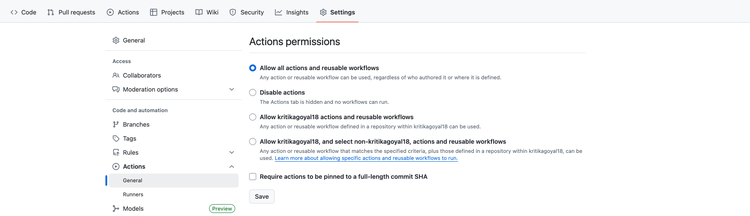
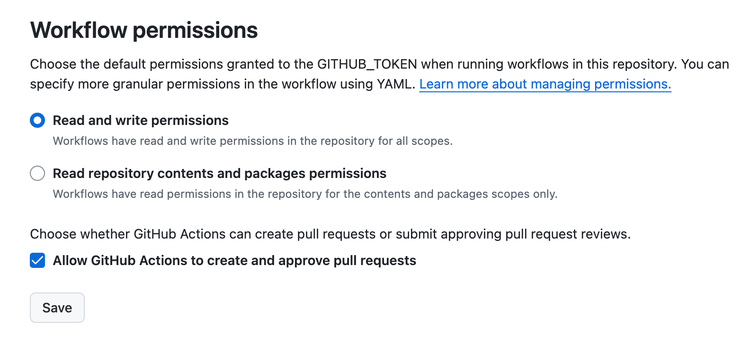
- Scroll to the bottom of the page to Workflow permissions and select Read and write permissions radio button and select Allow GitHub actions to create and approve pull requests.
- Click on Save.
How to sync your repository
Sync with template using PR
If you opt for this way of syncing your repository with latest changes in Reference Demo repository, please follow the following steps.
- Go to your repository.
- Click on the Actions tab.

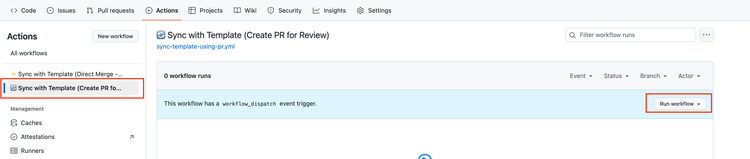
- Click on Sync with template (Create PR for review) from the left rail and click on Run Workflow button from the right side.
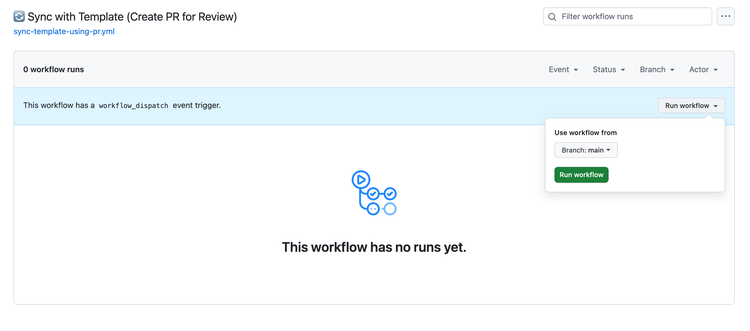
- Click on Run workflow button appearing in pop-up on the right side.
- In a few seconds, a new pull request will get created. Click on Pull Requests tab, and your newly created PR should be visible there.

- Click on the Pull Request and check the files for the changes.
- Review the incoming changes. Go ahead and merge the Pull Request.
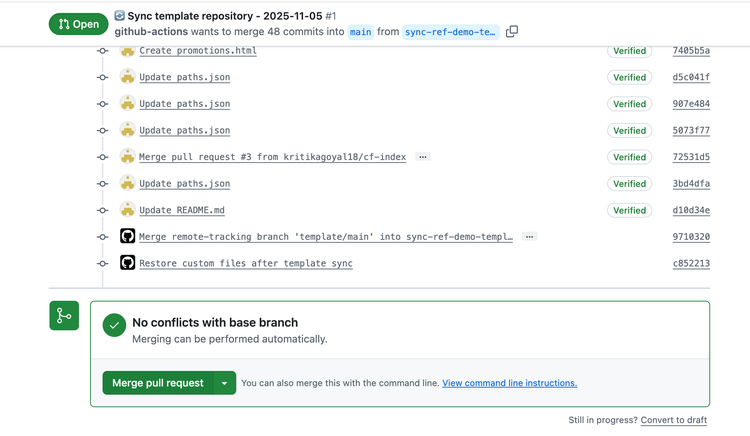
- Your repository now has all the latest changes.
Sync with template (Direct Merge)
If you opt for this way of syncing your repository with latest changes in Reference Demo repository, please follow the following steps.
- Go to your repository.
- Click on the Actions tab.
- Click on Sync with template (Direct Merge – no review) from the left rail and click on Run workflow button from the right side.
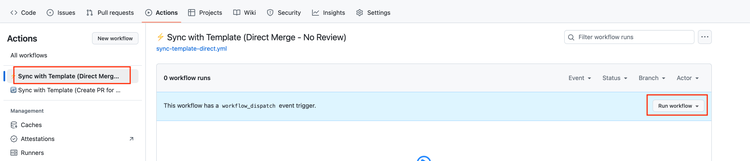
- Click on Run workflow button appearing in pop-up on the right side.
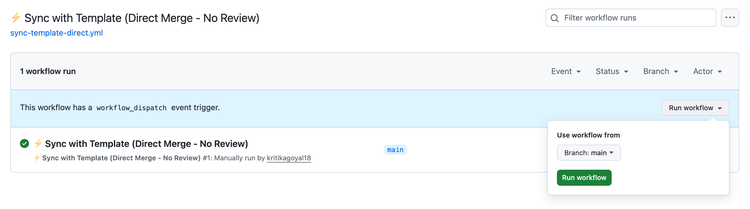
- It will execute the workflow and in a couple of seconds, the latest template changes will be available in your repository.