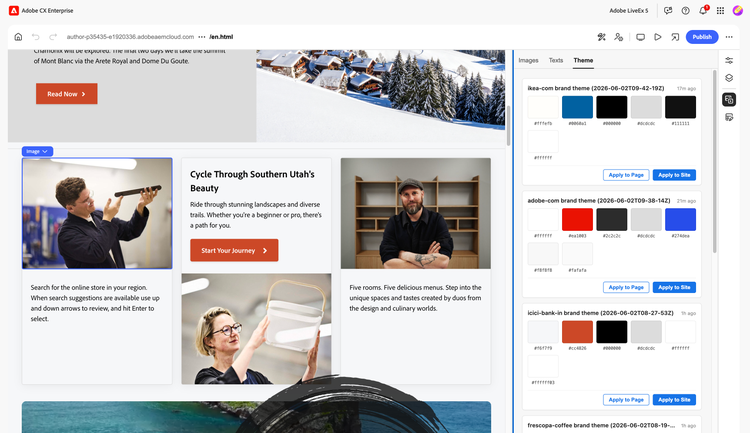
This extension enables authors to fetch brand assets/text/color values directly from a live site URL.
Follow the Instructions below to quickly enable this extension in your AEM instance.
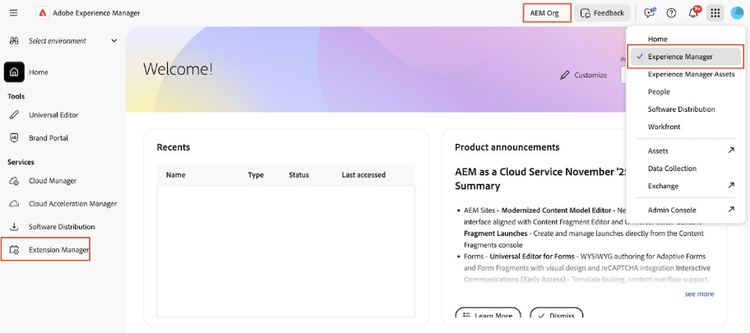
1. Navigate to your Experience Cloud.
2. Switch to the correct org. and Click on Experience Manager.
3. From the left side menu, click on Extension Manager.
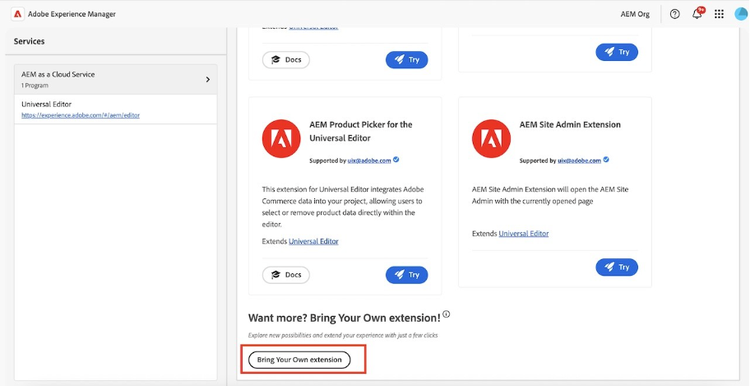
4. In the extension manager screen, scroll to the bottom of the page and click on “Bring Your Own Extension” button. This option is available to onboard any extension that you want to use in your AEM.
5. This should open a modal to provide extension details. In the BYE configuration, provide the following values:
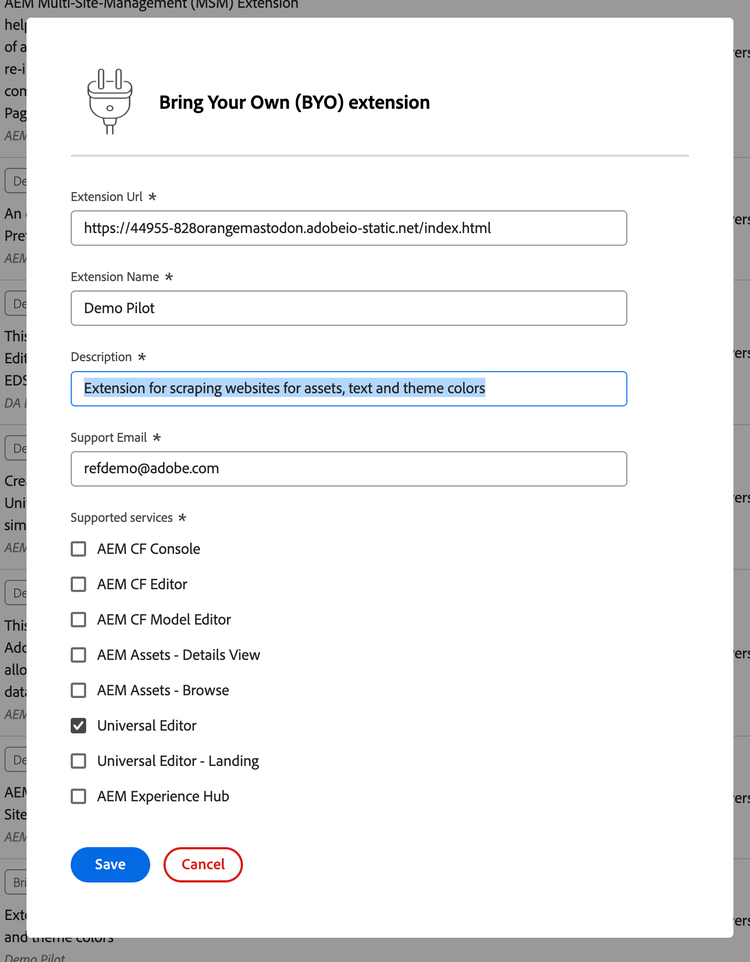
6. Click Save
7. Verify and enable the extension

8. Congrats! You have successfully installed and enabled the extension.
Usage
- Head to the Universal Editor to find the extension, click on the extension to activate it.
- The extension has three modules – Images, Text and Theme
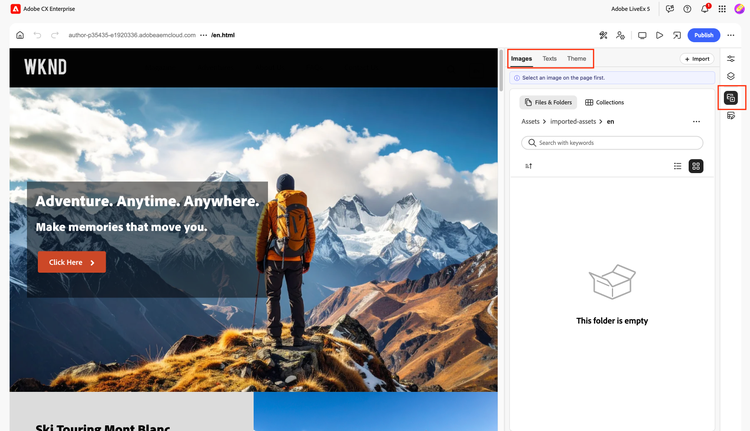
- To import the assets, click the Import button on the top-right.
- Provide the URL of your site. Check the appropriate options (Images, image size, colors and text)
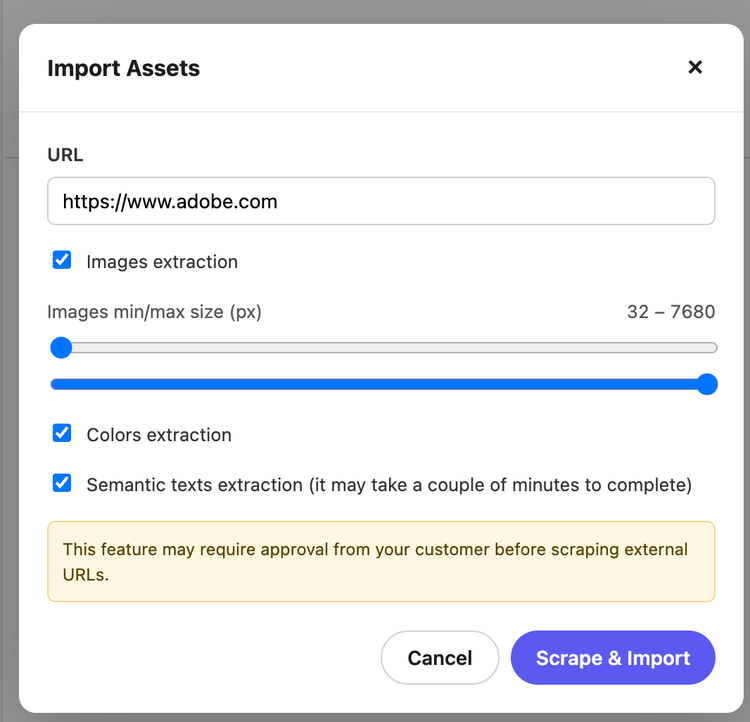
- Click on Scrape & Import, to start the import process.
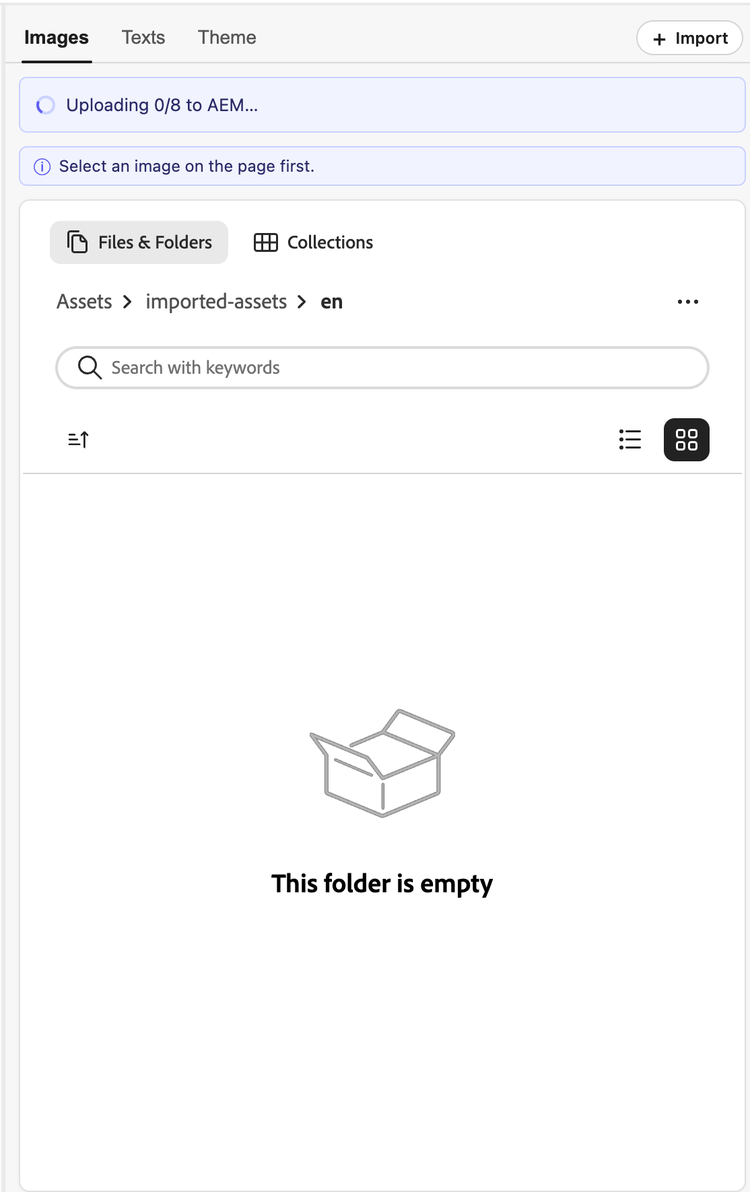
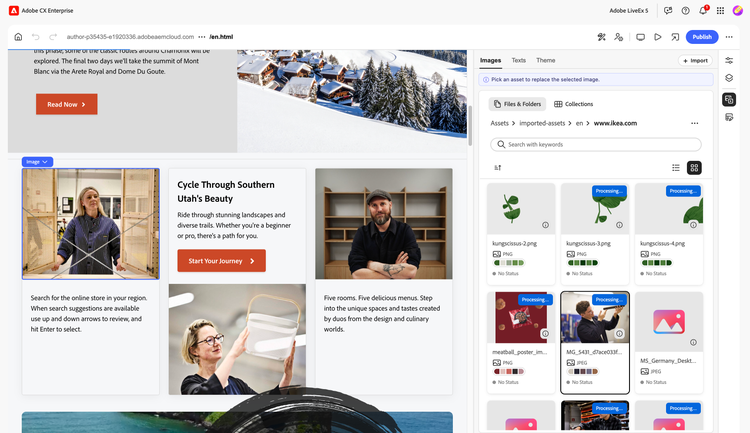
- The imported assets once uploaded to dam is available in the extension for replace.
- To replace an asset, select the asset to be replaced in your editor, then select the desired asset from the selector to replace it with.
- To replace the texts, select the text in the editor to be replaced with the text in the extension, you can optionally click on the copy button to copy the text to the clipboard and paste accordingly.
- To apply an imported theme, find the relevant theme from the theme tab.
- Click Apply to Page to apply the theme to the current page
- Click Apply to Site to apply the theme to the whole site
- Refresh the page once the theme is applied.