Enable Indexing for a New Language
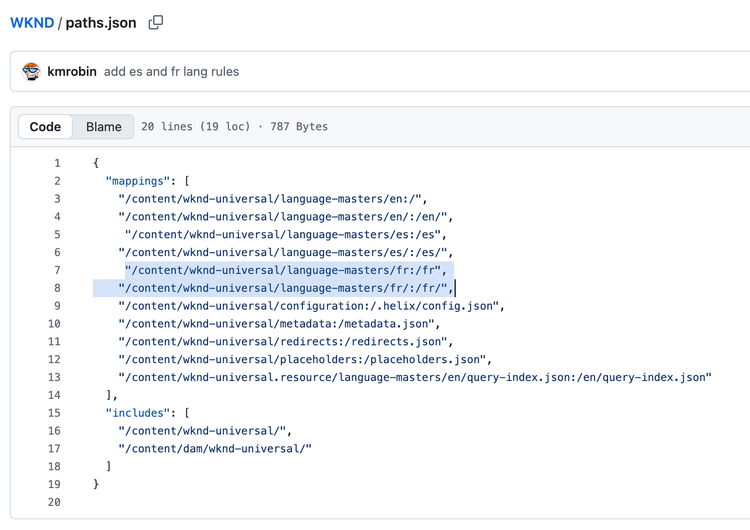
Using paths.json file, you can establish the mapping for your newly created locale.
- Duplicate one of the existing mapping rules for any language and replace the language code with yours.
- Commit the changes to the file.
Using helix-query.yaml file, you can enable a new language for indexing and search functionality.
- Open helix-query.yaml and duplicate one of the existing language sections (fr/es/de), changing the path code and target.
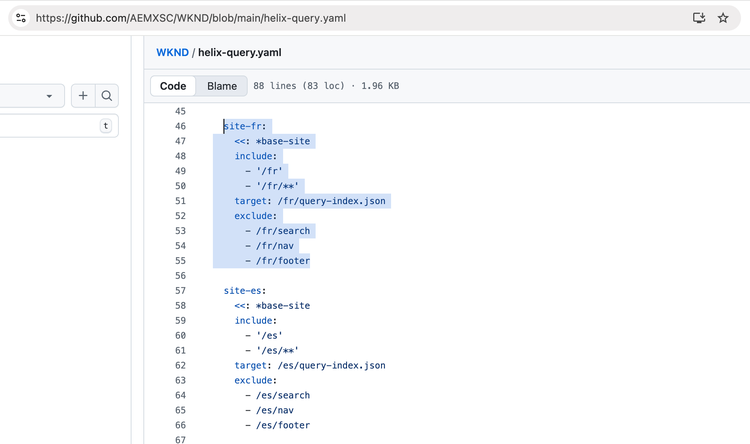
- Use your locale code (for example, ‘/ja’) in both include and target.
- Commit your changes to the file.
- Publish the new language’s pages (root plus at least one child page).
- Open the language’s Search page (for example, /it/search), enter a query (3+ characters), and confirm results and filters load.
Note
It may take a couple of minutes for your newly published pages to get indexed and start showing up in search results. Please wait and recheck in sometime.
Using placeholders file, you can enable the new language to start appearing in the language switcher in the header.
- Open the ‘placeholders’ file.
- For the ‘languages’ key, append your language code to the already existing codes by separating it using a comma (,)
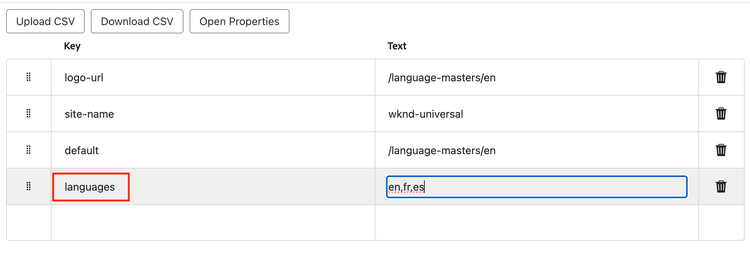
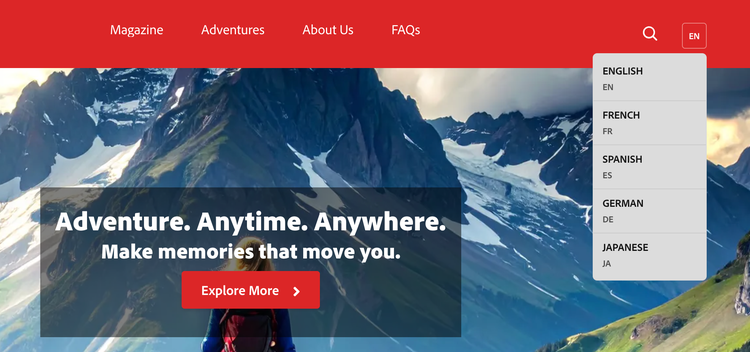
- Publish the file and you should see the newly added language showing up in the dropdown menu on the header.