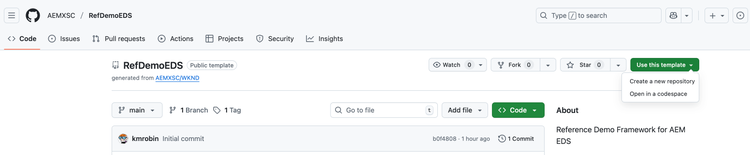
GitHub Setup (sequence of steps is important):
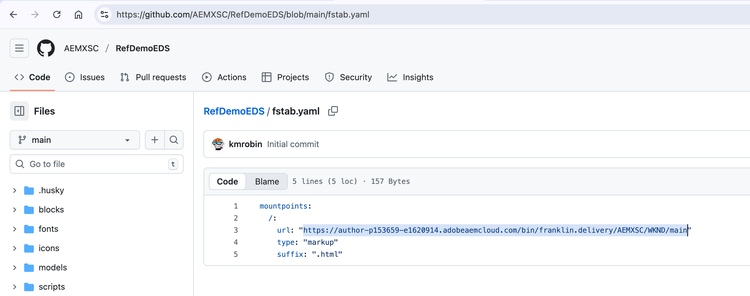
- In your cloned GitHub repo, update “fstab.yaml” file to point to your own AEM env and git location:
- There are 3 parts of the URL that need to be updated:
https://XXX/bin/franklin.delivery/YYY/ZZZ/main
- XXX should be replaced by the URL of your AEM Author environment.
- YYY should be replaced by your GitHub user account.
- ZZZ should be replaced by the name of the GitHub repository you chose while cloning.
- Configure the AEM Code Sync plugin: https://github.com/apps/aem-code-sync
- Update the “paths.json” file as well if you plan to create a new site, default is: wknd-universal