Dynamic Media (Video)
Prerequisites
- Enable the extension named Custom Asset Picker for AEM in the Extension Manager.
- Environment should have the config files for remote repo. (The config files for image and video picker come as part of reference demo installation package and are available at location /content/dam/config/)
This block supports videos with Smart Crop and captions.
Video Smart Crop intelligently analyzes video content and dynamically adjusts the framing to keep the primary subject in focus across different aspect ratios and devices.
To use this feature, first configure the metadata schema for video assets. Once configured, Video Smart Crop can be enabled by updating the asset metadata and approving the asset through the review workflow.
The following steps outline the typical setup required for Video Smart Crop to work with Dynamic Media (video).
- Go to the metadata Schema of video asset in your environment.
- Edit the schema to add a new drop down “Create Video Smartcrops” and configure these properties for the added drop down.
- Field Label: Create Video Smartcrops
- Map to property: ./jcr:content/dam:applyVideoSmartCrop
- Add Choices : Yes → true and No → false
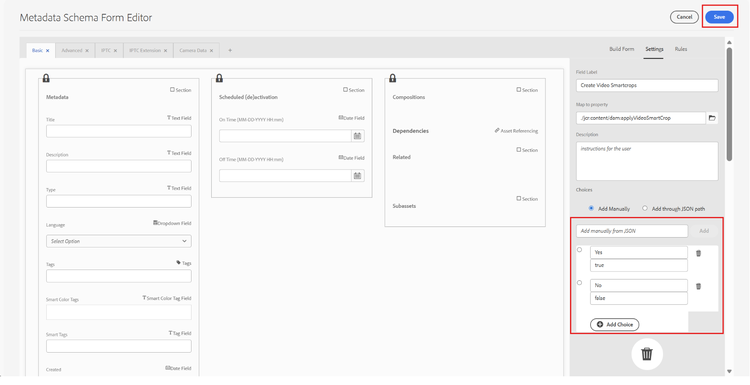
- Ensure that the metadata schema is applied to the folder where your video assets are stored so that the field is available in asset properties.
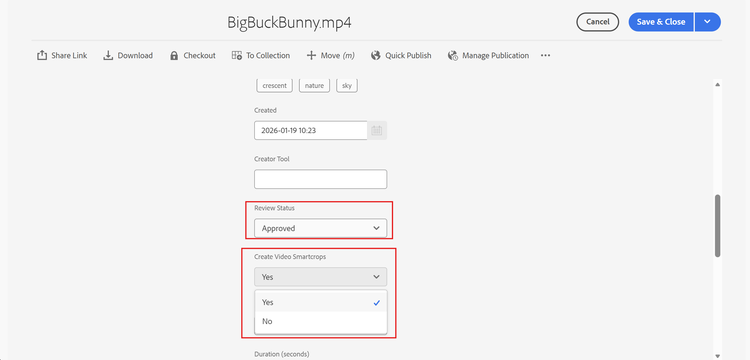
- Go to the video for which you want to generate the Smart Crops in DM OpenAPI server and set approval status property to “Approved” and set “Create Video Smartcrop” to Yes
Prerequisites
- There may be some 2-5 mins of delay for the DM OpenAPI to generate smart crop renditions for the video. Publishing is NOT required.
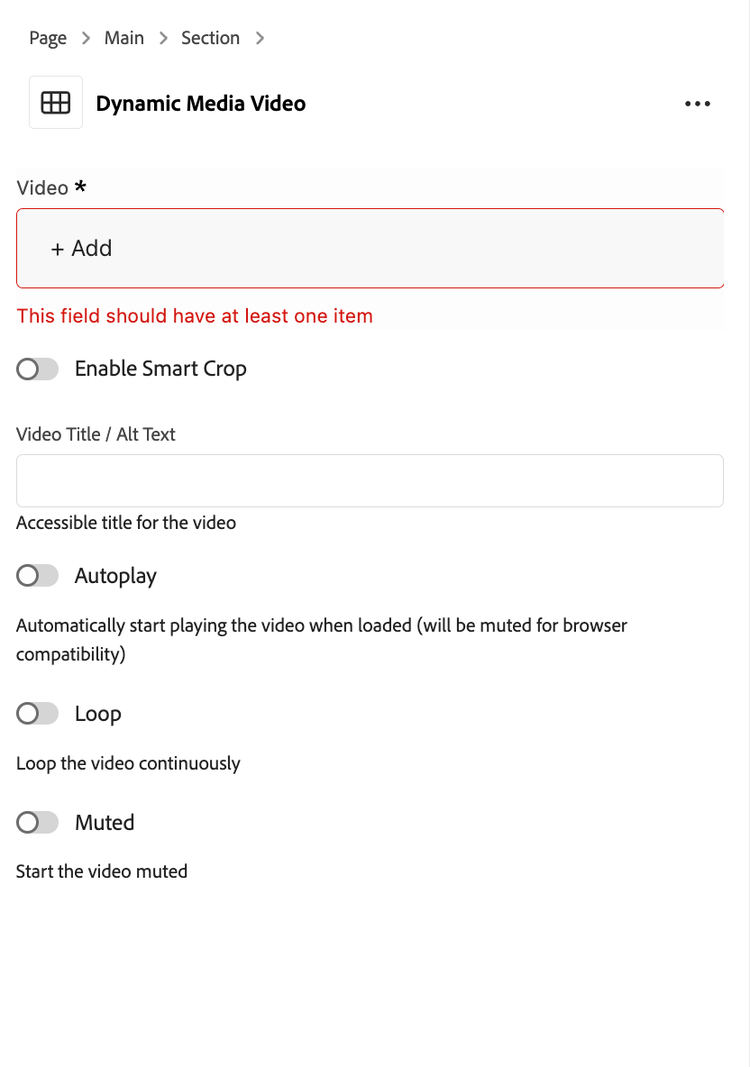
- Add “Dynamic Media (Video)” block to your page and edit block’s properties.
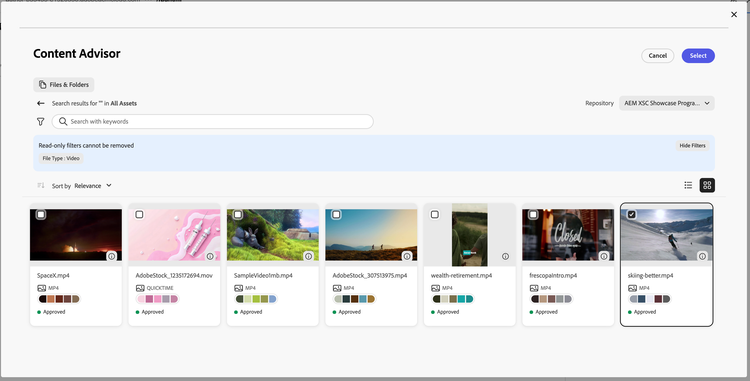
- Click on asset selector which will open asset picker. Select Delivery Server from repo and select some video.
- After authoring, the video will be rendered according to the selected configuration options. For instance, when Smart Crop is enabled and the prerequisite outlined earlier in this exercise has been correctly setup, the video will use smart-cropped rendition.
You will see remote repo listed if you have video.config.json file present at location /content/dam/config/video.config.json and extension for custom asset picker is enabled.
- Select any delivery server from the Repository dropdown. (preferably the remote repo named “AEM XSC Showcase Program dev delivery”).
- Select the video. Once video is selected it will render on the page.
- You have below properties to configure:
- Enable Smart Crop : If enabled, the smart cropped version of video will play considering the device size.
- Autoplay: Starts the video automatically when page is loaded.
- Loop: Plays the video in loop.
- Muted: Starts the video in muted state.