Dynamic Media Template
Render any Dynamic Media Template on-the-fly.
How to create Dynamic Media Templates?
Check out the product docs here to create your DM Template: Dynamic Media template
- There’s a pre-baked example in the Dynamic Media Template block, but you can design your own template and use it in this block. The block allows two styles of specifying the templates: Inline & Fragment.
- Template Config Source: Inline / Content Fragment
- Template Path: Base URL of your Dynamic Media Template
- Variable Mappings: Dynamic Parameters of your template that you want to modify
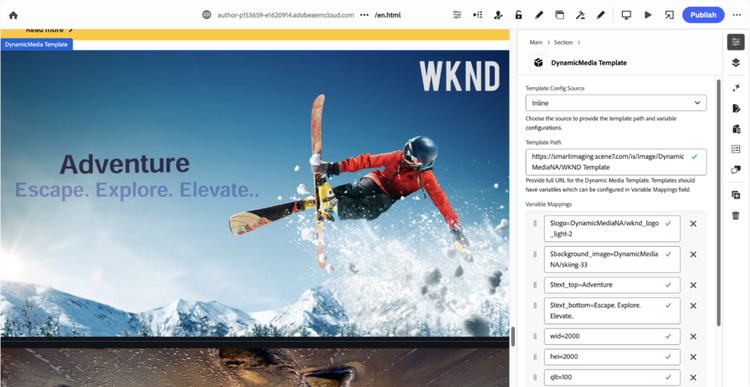
For Content Fragment option, you can configure the similar key-value pairs in the content fragment built using content fragment model named “Dynamic Media Template”.
When to use Fragment v/s Inline?
When the same DM template needs to be reused and rendered across pages, prefer using Fragments.