Dynamic Media (Smart Imaging)
Prerequisites
- Configure Dynamic Media in AEM under Cloud Service
- Create and Apply Smart Crop profile to the intended Asset folder(s) in AEM DAM.
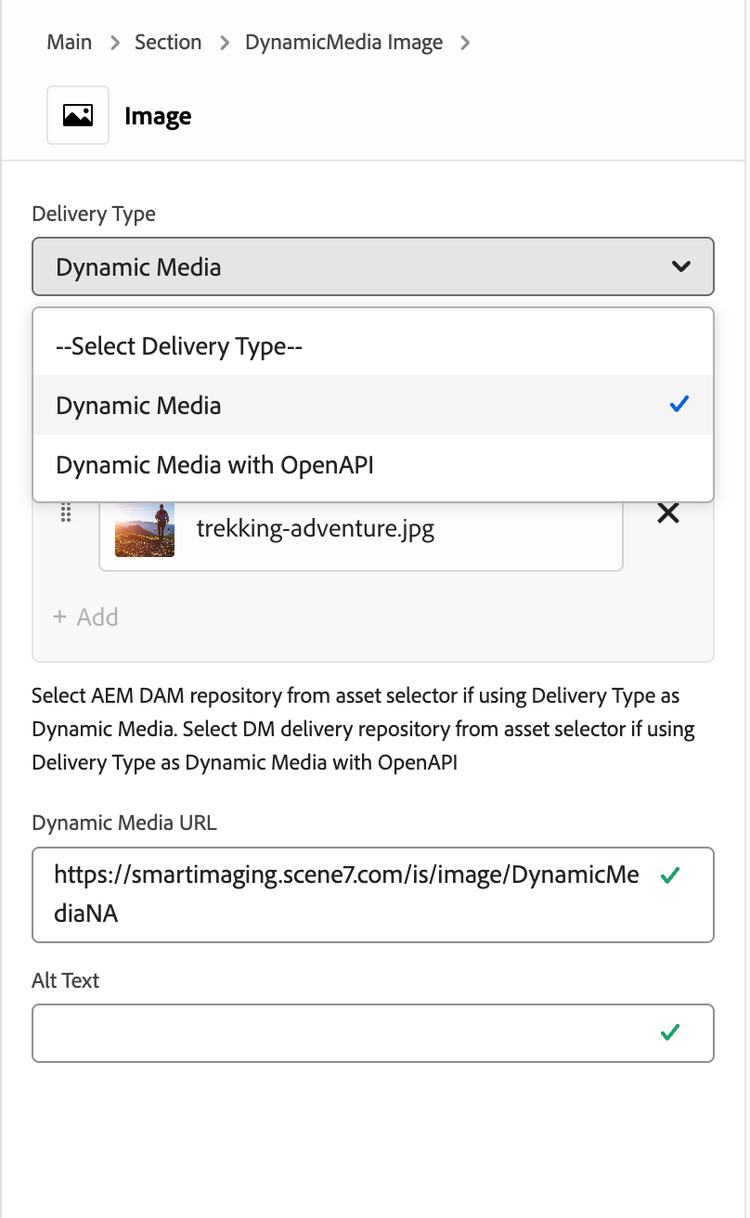
- Add “DynamicMedia Image” block to your page and edit block’s properties.
- From Delivery Type option, please select Dynamic Media.
- Add an image from DAM (which has been processed with Smart-Corp profile).
- Default DM Server is set to (if not change as per your DM account): https://smartimaging.scene7.com/is/image/DynamicMediaNA
- Try resizing your browser window to see how the key objects in the image remain in focus at different resolutions.