Dynamic Media (Smart Imaging)
Prerequisites
- Configure Dynamic Media in AEM under Cloud Service
- Create and Apply Smart Crop profile to the intended Asset folder(s) in AEM DAM.
- Add “DynamicMedia Image” block to your page and edit block’s properties.
- From Delivery Type option, please select Dynamic Media with OpenAPI.
- When authoring the image, in the asset selector window, select one of the delivery repositories.

- Select an image.
Missing image in the asset picker ?
- If you don’t see your image in the asset selector window. You can mark the image as approved for it to sync to Dynamic Media delivery server.
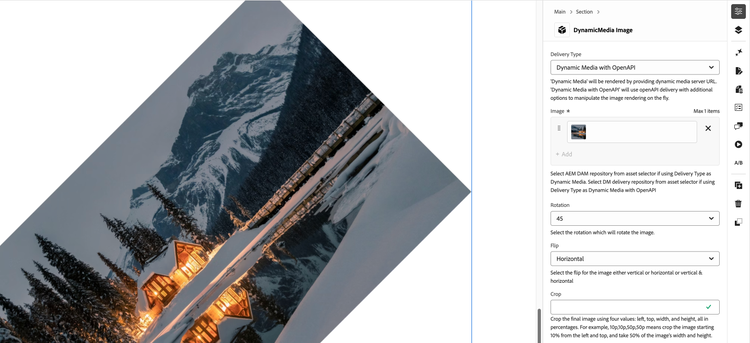
- Try different configurations from the block’s properties. E.g. Rotation property to rotate your image asset to any angle. Optionally, you could also flip your image using the flip property.