Setting Up Library Extensions
Document Authoring provides various OOTB Library Extensions which can be used to make authoring experience simpler and easier
To setup the default library
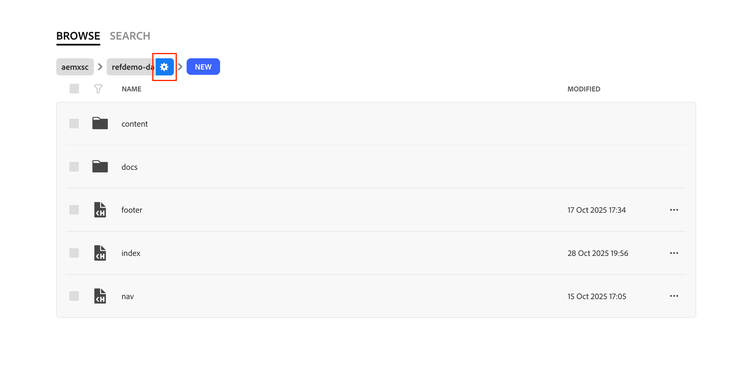
- Head to the configuration sheet of your site by clicking on the gear icon in your site hierarchy.
- Once inside the configuration sheet, create a new Sheet, by clicking on the Add Sheet button.
- Name your sheet “library”.
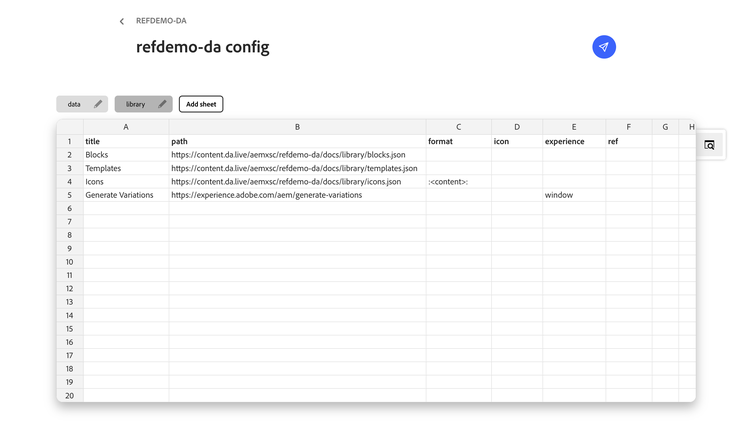
Put the following table in the sheet
title
path
format
icon
experience
ref
Blocks
https://content.da.live/aemxsc/refdemo-da/docs/library/blocks.json
Generate Variations
https://experience.adobe.com/aem/generate-variations
window
NOTE
Make sure to keep the table headers in your library sheet
- You can optionally add/remove any option as per your need.
- Once the content is in place, Save the config file.
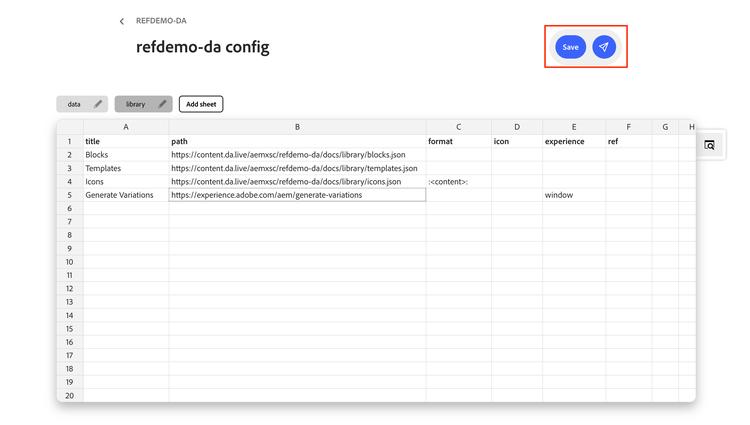
To setup your custom library
Step 1: Create Block Documents
Each block that you want to make available in the library needs its own document. This document serves as the source content that authors can drag into their pages from the library sidekick.
How to Create a Block Document
- Navigate to your blocks folder (e.g., /library/blocks/).
- Create a new document for each block (e.g., hero, cards, columns, table).
- Inside the document, add the block content as a table. The first row contains the block name (and optional variant), and subsequent rows contain the block content.
- Preview and publish the document.
Step 2: Create the Blocks Sheet
The blocks sheet is what connects your block documents to the library. It tells the library which blocks exist and where to find them.
How to Create the Sheet
- Navigate to the
libraryfolder. - Create a new sheet called blocks.
- Add two columns:
nameandpath. - For each block, enter the display name in the
namecolumn and the full content URL in thepathcolumn. - Save and publish the sheet.
Blocks Sheet Structure
name
path
Section Metadata
NOTE
Replace {org} and {site} with your actual organization and site name. The path must point to the content URL (content.da.live), not the editor URL (da.live)
Step 3: Register Blocks in the Library Config
- Follow the steps at the top of the page to register blocks in the library config
- Replace the org and site with your own site and org names.
title
path
format
icon
experience
ref
Blocks
https://content.da.live/{org}/{site}/docs/library/blocks.json
Reference
https://docs.da.live/administrators/guides/setup-library#setup-library