Carousel Block
Once you introduce a Carousel block on your page, it acts like a container where you could add multiple Card blocks. Once you introduce a Card block in Carousel Block component, they will start getting aligned horizontally.
https://s7d1.scene7.com/is/content/AEMHOL/CarouselBlockInstructions
Carousel style options:
- Auto-slide: Automatically advance slides on a timer.
- Auto-slide Interval: 3, 5, 7, or 10 seconds (available when Auto-slide is enabled).
- Image Zoom Effect: None, Zoom In Effect, Zoom Out Effect, or Swipe (fullscreen lightbox on image click).
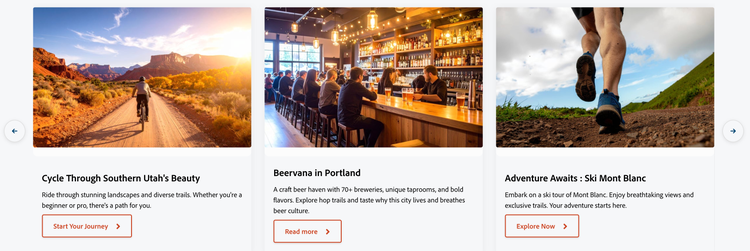
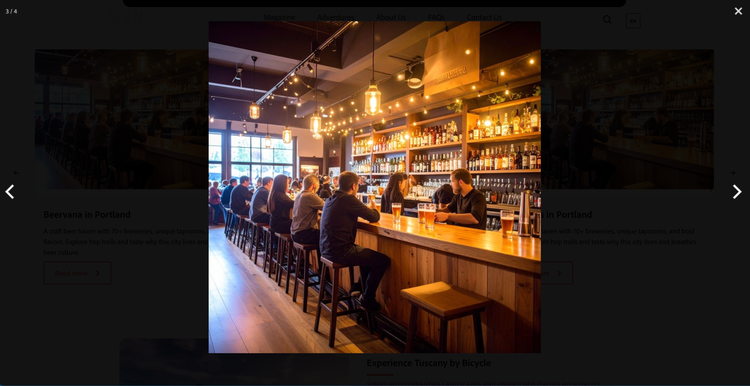
Style options for individual Card (within Carousel):
-
Style:
- Default: Standard card layout with default styling
- Image Top: Image positioned at the top of the card
- Image Bottom: Image positioned at the bottom of the card
- Teaser Overlay: Image with text overlaid on top (dark overlay background)
- Teaser Card: Image with text in a styled card overlay positioned at bottom-right
-
CTA Style (Call-to-Action button/link):
- Link: Renders as a text link
- Primary Button: Standard primary button styling
- Secondary Button: Secondary/outlined button styling
- Dark Button: Dark variant for contrast on light backgrounds