Personalize your experiences using Adobe Target
NOTE
If you face any flickering effect after implementing this approach, please use the alternate approach mentioned below.
In Adobe Target, if you’re trying to load your website in VEC to make edits to aem.live URLs, please install the Visual Editing Helper browser extension from here.
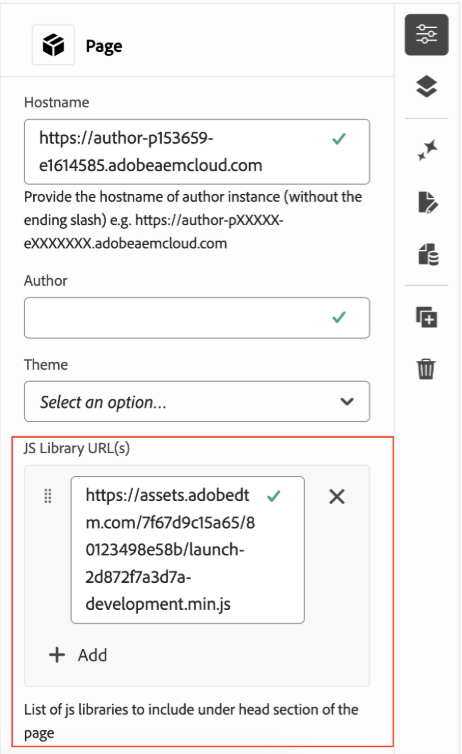
- In Page > Properties, load the Adobe Launch library.
- Open your page in Adobe Target.
- Define your audience.
- Setup the personalized exp as per the requirements to change the Home Banner, as an example.
Alternate Approach for Personalisation
In Adobe Target, if you’re trying to load your website in VEC to make edits to aem.live URLs, please install the Visual Editing Helper browser extension from here.
- Go to your Adobe Target instance.
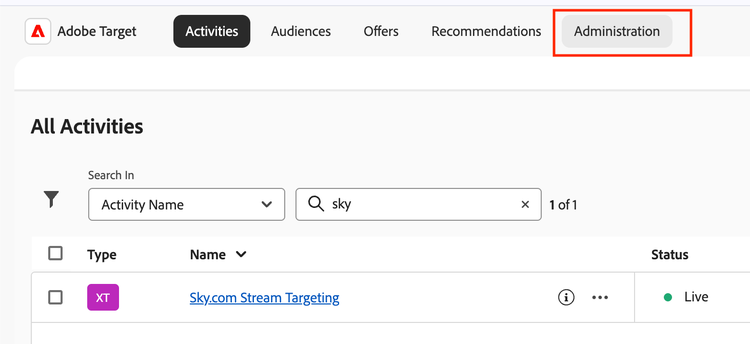
- Click on Administration tab.
- Go to Implementation section.
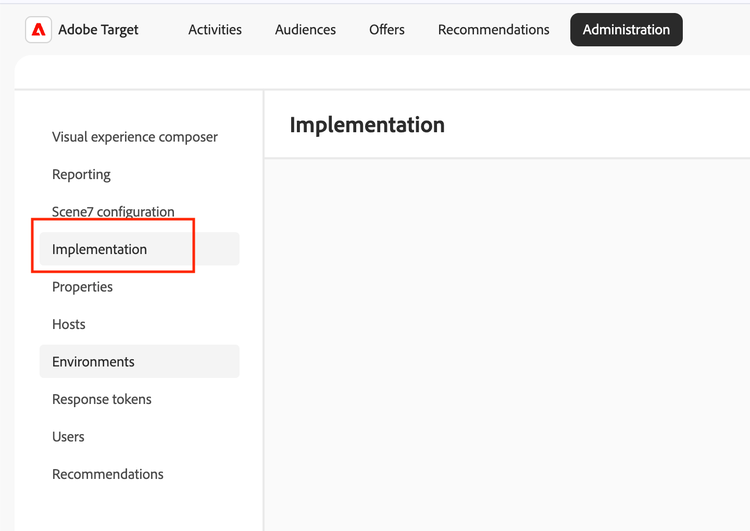
- Look for at.js and download it.
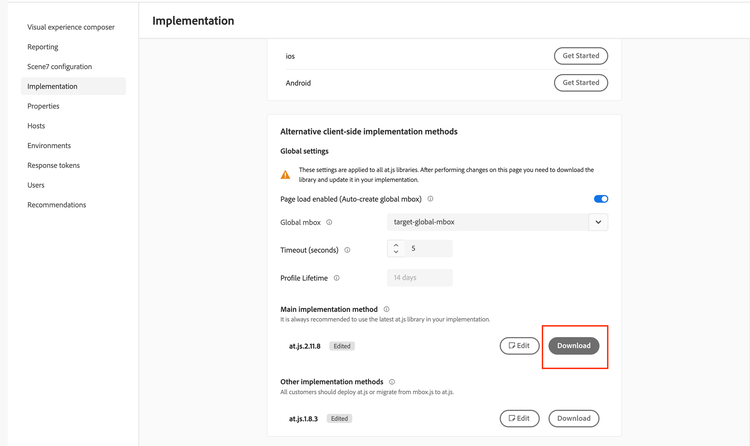
- Host the at.js file on any server where it is publicly accessible.
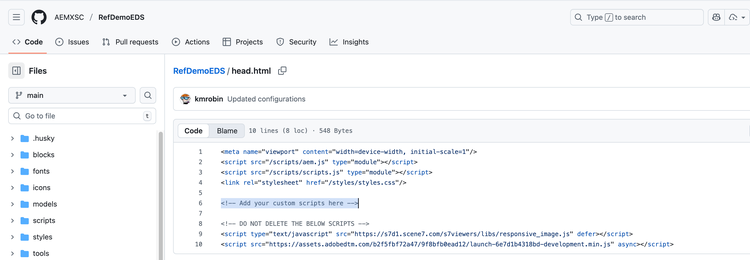
- Go to your GitHub repository and navigate to head.html file.
- Update the head.html file as shown below by adding a script tag with source as your hosted at.js file.
Please make sure that you add your script tag in “<!-- Add your custom scripts here -->” section only.
For your quick access, copy the following script and fill in your source URL.
<script language="JavaScript" type="text/javascript" src={your at.js file source goes here}></script>